


VsCharge App vs Custom App for Shared Power Bank Business
Option 1: Using the VsCharge Official Shared Power Bank App
Faster Market Launch
One of the biggest advantages of using the Welink platform is deployment speed.
Seamless Hardware and Software Integration
Shared power bank rental systems require continuous communication between software, rental stations and individual power banks.
Complete Operator Management System
Running a shared power bank business requires much more than a customer-facing application.
Remote Device Management
As a shared power bank network expands across multiple locations or cities, remote equipment management becomes increasingly important.
Intelligent Power Bank Management
A mature shared charging system needs to manage power banks intelligently rather than simply releasing any available battery.
Flexible White-Label Branding
Using Welink software does not mean that operators need to use the Welink brand.
Multiple Rental Access Methods
Different markets and customers have different preferences for accessing shared charging services.
Flexible Payment Integration
Payment methods vary significantly between countries and regions.
Lower Technical and Operational Risk
Building software is only the beginning. Long-term maintenance requires continuous technical resources.
Disadvantages of Using the Welink Official App
Less Control Over the Core Software Architecture
A completely custom-developed platform gives operators maximum control over the underlying software architecture.
Additional Costs for Special Customization
Standard functions can usually be deployed quickly, while highly customized business requirements may require additional development.
Dependence on the Software Platform Provider
Using an established software ecosystem means operators continue to rely on the platform provider for certain technical services, updates and system maintenance.
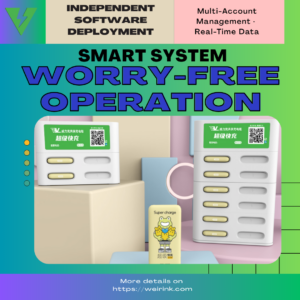
Option 2: Developing Your Own Shared Power Bank App
Advantages of Developing a Custom App
Maximum Control Over Software Development
A custom application gives operators greater control over system architecture, business logic and future development.
Deeper Integration With Existing Business Systems
Companies that already operate their own digital platforms may prefer to integrate shared power bank rental directly into their existing ecosystem.
Greater Ownership of the Technology Architecture
Companies with their own engineering teams can maintain greater control over their application, database and technology roadmap.
Disadvantages of Developing a Custom App
Higher Initial Development Investment
A complete shared power bank platform involves much more than developing a simple customer-facing mobile application.
Longer Time to Market
Developing and testing a reliable shared charging system can require a substantial amount of time before commercial deployment.
More Complex Hardware Integration
Communication between rental stations, power banks, cloud servers and customer applications requires specialized IoT development experience.
Continuous Technical Maintenance
The development process does not end when the application is launched.
Greater Risk During the Early Business Stage
A new operator developing both its business model and its technology platform at the same time must manage both market risk and technical risk.
Welink App vs. Custom Development: Quick Comparison
| Factor | Welink Official Platform | Custom Development |
|---|---|---|
| Launch Speed | Fast | Slow |
| Initial Development Cost | Lower | Higher |
| Hardware Integration | Already integrated | Must be developed |
| Backend Management | Ready to use | Must be developed |
| Remote Monitoring | Available | Must be developed |
| Branding | White-label available | Fully customizable |
| Payment Integration | Supported | Self-developed |
| Technical Team Required | Limited | Strong engineering team required |
| Maintenance Burden | Lower | Higher |
| Software Control | Flexible | Maximum |
| Pilot Project Suitability | Excellent | Usually less efficient |
| Development Risk | Lower | Higher |
Which Option Should You Choose?
Choose the Welink Platform If:
You are:
-
- Starting a new shared power bank business
- Testing a new country or city
- Planning an initial pilot deployment
- Trying to launch quickly
- Operating without a large software engineering team
- Looking for an integrated hardware and software solution
- Building your own brand through a white-label platform
Consider Custom Development If:
You:
-
- Already have an experienced software engineering team
- Plan to build a large proprietary technology ecosystem
- Require highly specialized business logic
- Need complete control over software architecture
- Want deep integration with an existing app or platform
- Have sufficient resources for long-term software maintenance
A Third Option: Start With VsCharge and Develop Gradually
Stage One — Validate the Market
Launch using the mature Welink platform and test customer demand, locations and pricing.
Stage Two — Expand the Network
Add more stations, locations, payment methods and operational features.
Stage Three — Introduce Custom Integrations
Connect additional platforms, payment systems or business tools through APIs and customized development.
Stage Four — Evaluate Proprietary Software
Once the network reaches sufficient scale, operators can decide whether building a fully independent software platform creates enough additional value.
Hardware-Only Cooperation Is Also Available
For companies that already have their own software development teams, Welink can also provide hardware-focused cooperation and discuss integration with customer-developed platforms.
Conclusion
There is no single software strategy that is suitable for every shared power bank operator.
For most startups and companies entering a new market, the VsCharge official shared power bank platform provides a faster and lower-risk route to commercial deployment.
Companies with strong engineering resources and highly specialized requirements may instead choose custom software development.
The most important question is not simply:
“Which software is better?”
It is:
“Which software strategy is most suitable for the current stage of your shared power bank business?”